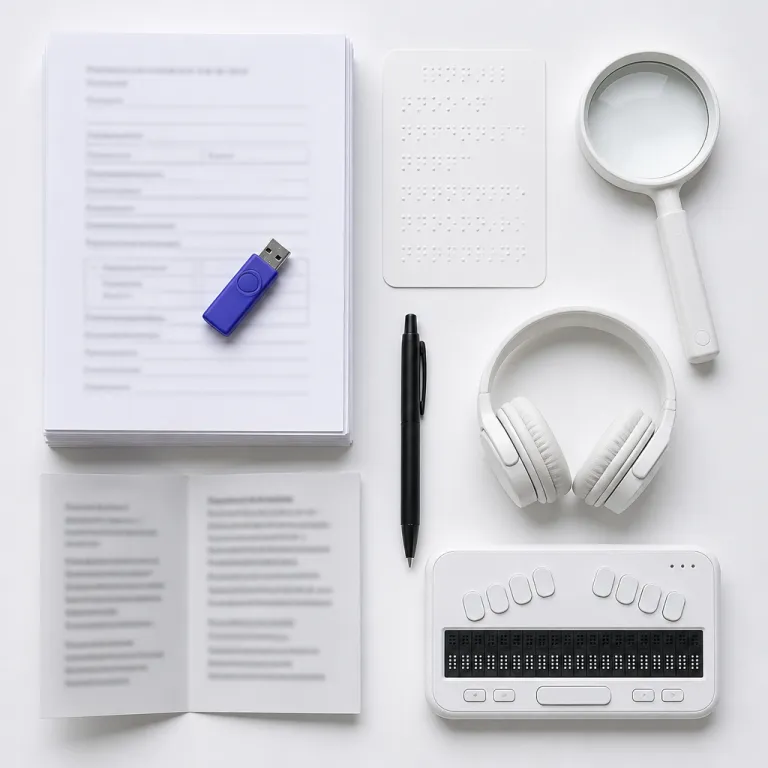
Why an accessible job application process is now a talent filter
Most talent acquisition teams obsess over requisitions, sourcing channels, and funnel speed. Yet the same teams rarely examine whether the application process itself is accessible, inclusive, and aligned with modern accessibility standards. In one iCIMS benchmark report from 2023, roughly 60 % of candidates started a job application and never finished it; in many cases, the barrier is the form experience, not the job descriptions.
For candidates with disabilities, every extra click, unlabeled field, or broken screen reader interaction can end the hiring process before it begins. These candidates are not a niche; global estimates from the World Health Organization (2011, updated 2023) indicate that 15 to 20 % of the working-age population lives with some form of disability, and many of these individuals are highly qualified for employment but blocked by design choices. When your application process is not accessible by default, you silently exclude people with disabilities who could transform your workplace and improve long-term work environment performance.
Accessibility is not charity; it is a core hiring lever that shapes who even enters your recruitment process. An accessible job application process expands the top of the funnel, improves pipeline diversity, and reduces the risk that people with disabilities abandon your site in frustration. The same changes that help employees with disabilities and future candidates with a disability also simplify work for every applicant, from non-native speakers to people on older mobile devices.
For a TA Ops manager, the question is brutally operational. Does your current application process help or hinder accessible recruitment, and can you prove it with data from your ATS and analytics stack? When you treat accessibility as a measurable part of hiring practices, not a side project, you start to see how an inclusive workflow can raise quality of hire, increase job offer acceptance, and reduce time to employment.
The accessibility audit checklist for career sites and forms
An effective accessibility audit starts with your career site and the first screen of the application. You are looking for hard failures against Web Content Accessibility Guidelines (WCAG 2.1) and national accessibility standards, not vague impressions about whether the page feels inclusive. A rigorous audit of the application process should map every step from job search to submitted application and identify where candidates with disabilities are likely to drop.
Begin with structure and navigation, because this is where many enterprise ATS templates fail. Check that headings follow a logical order, that all interactive elements are reachable with keyboard-only navigation, and that labels are correctly associated with fields so a screen reader can announce them. For example, ensure each input uses a programmatic label such as <label for="resume">Upload resume</label><input id="resume" type="file" />, and that custom buttons expose an appropriate ARIA role like role="button" with a clear aria-label="Submit application". If your application form uses complex navigation trees, modal dialogs, or custom widgets for file uploads, test whether people with disabilities using assistive technology can complete the process without sighted help.
Next, examine form behaviour under stress. Turn on a screen reader, zoom the page to 200 %, and try to complete the job application while using only the keyboard and no mouse. A simple keyboard test script is: press Tab to move forward, Shift+Tab to move backward, Enter or Space to activate buttons, and Arrow keys to move within menus or radio groups; if you ever get trapped or lose focus, you have an accessibility defect. Time limits, aggressive validation rules, and inaccessible CAPTCHA challenges will disproportionately block individuals with disabilities who rely on assistive tools or need more time to process interview questions and written prompts.
Finally, connect your audit to conversion data. Compare drop-off rates for long versus short forms, mobile versus desktop, and different stages of the recruitment process to see where the accessible job application process is failing in practice. As a benchmark, many TA teams aim for at least 70 % completion on mobile and 80 % on desktop for standard roles; if your rates are far lower, the form itself is likely a barrier. For deeper guidance on redesigning forms for completion, resources such as this analysis of how the so-called 15-minute application is dead can help you rethink what information you truly need before the interview.
Hidden barriers inside enterprise ATS workflows
Most TA leaders assume that if their ATS is a major vendor, the hiring process must already be accessible. Reality is less comforting, because many recruitment process interfaces were built for recruiters, not for candidates with disabilities navigating on mobile devices or with assistive technology. The result is an application process that technically functions but quietly filters out people with disabilities before they ever reach an interview.
Common failure points start with job descriptions and requisition pages. Dense text, jargon-heavy language, and unclear explanations of reasonable accommodation policies make it harder for individuals with disabilities to judge whether the workplace and work environment will support them. When an organization fails to state how candidates can request accommodations during the interview or for the job itself, many people with disabilities will self-select out before applying.
Inside the ATS-hosted application, custom widgets often break accessibility. File upload components without labels, date pickers that cannot be used with a keyboard, and progress indicators that are invisible to a screen reader all undermine an otherwise accessible recruitment experience. These issues compound when panel members later review applications in back-end tools that were never designed with employees with disabilities or inclusive hiring practices in mind.
TA Ops managers should treat the ATS as a configurable platform, not a fixed constraint. Work with vendors to enable accessible templates, simplify the number of required fields, and remove redundant steps that do not improve hiring decisions. A focused conversion audit from first click to submitted application can reveal where the accessible job application process breaks, and where small changes—such as adding ARIA landmarks like role="main", fixing focus order with tabindex, or reducing duplicate questions—could unlock more qualified candidates for every job offer.
Designing user friendly, accessible forms that raise conversion
Once you have mapped the barriers, the next step is to redesign the application process around accessibility and clarity. The goal is not only to comply with accessibility standards but to create an inclusive experience that helps all candidates complete the application with confidence. This is where the curb-cut effect appears, because changes made for people with disabilities also benefit every busy applicant juggling work, family, and limited time.
Start with ruthless simplification of the form itself. Ask only for information you will actually use before the first interview, and defer everything else until later in the hiring process or after a conditional job offer. Shorter forms reduce cognitive load for individuals with disabilities, while clearer instructions and inline help text support people whose first language is not the one used in your workplace.
Language and layout matter as much as length. Use plain language in job descriptions, explain how to request reasonable accommodation or other accommodations, and provide explicit contact details for questions about disability support or accessible recruitment. Make sure that every field has a visible label, that error messages are specific and announced to a screen reader (for example, “Please enter a valid email address in the format [email protected]”), and that the tab order follows a logical process from start to finish.
Finally, design for multiple modes of access. Ensure that candidates can save progress and return later, which is especially important for people with disabilities who may need more time or assistive technology to complete the application. Offer alternative formats or channels for individuals with disabilities who cannot use the standard form, such as email submissions or recruiter-assisted applications, while still keeping the overall hiring practices consistent and fair.
Operationalising accessibility in hiring practices and governance
Accessibility cannot remain a one-off project owned by a single enthusiastic recruiter. To sustain an accessible job application process, TA Ops leaders must embed accessibility into hiring practices, vendor management, and compliance reporting. That means treating accessibility as a non-negotiable requirement for every recruitment process, not a nice-to-have feature.
Start with procurement and ATS governance. When evaluating vendors or renewing contracts, include explicit criteria about accessibility standards, support for screen reader compatibility, and the ability to configure inclusive templates for every job application. Ask for third-party audits, request documentation on how the platform supports individuals with disabilities, and insist that any new feature be tested with people with disabilities before deployment.
Next, align policies and training. Ensure that your organization has a clear policy on reasonable accommodation in the hiring process, including how candidates can request accommodations for an interview or assessment. Train recruiters, hiring managers, and panel members on how to handle accommodation requests, how to phrase interview questions without bias, and how to evaluate candidates with disabilities based on skills and work outcomes rather than assumptions.
Finally, connect accessibility to metrics that executives already track. Monitor drop-off rates by device, time on page for the application, and conversion from application to interview for candidates who request accommodations or mention a disability. As a practical target, many organizations aim to reduce abandonment by at least 10 % after accessibility improvements and to close any conversion gap between candidates who request accommodations and those who do not. Link improvements in the accessible job application process to higher offer acceptance, better retention of employees with disabilities, and a more inclusive workplace culture that strengthens employment brand and long-term work environment resilience.
Testing with real users and closing the feedback loop
No accessibility audit is complete until you test the application process with real candidates and employees who use assistive technology. Automated scanners can flag missing labels or colour contrast issues, but they cannot tell you whether a person using a screen reader can realistically complete your job application without frustration. To build an accessible job application process that works in practice, you need feedback from people with disabilities and from individuals with disabilities who already work inside your organization.
Begin by recruiting a small internal panel of employees with disabilities and external testers who rely on tools such as screen readers, voice control, or keyboard-only navigation. Ask them to complete a full application for a sample job, request any needed accommodation, and then debrief on every friction point they encountered in the recruitment process. Their insights will reveal issues that no checklist can capture, such as confusing interview questions, unclear instructions about reasonable accommodation, or inaccessible confirmation emails.
Then, institutionalise the feedback loop. Add a brief optional question at the end of the application process asking whether the form was accessible and whether the candidate experienced any barriers related to disability or technology. Use this data to prioritise fixes, track trends over time, and report to leadership on how accessibility investments are improving inclusive hiring and accessible recruitment outcomes.
As regulations evolve and HR compliance expectations tighten, staying ahead of accessibility requirements becomes a strategic advantage. Monitoring specialised HR compliance news on candidate experience helps TA Ops teams anticipate changes that affect the hiring process, from new accessibility standards to updated guidance on accommodations in the workplace. Over time, this disciplined approach turns accessibility from a risk to manage into a differentiator that attracts stronger candidates for every job offer you post.
FAQ about accessible application processes and candidate experience
How do I know if my application process is accessible enough
You will not get a perfect answer from any single tool, so combine automated checks with human testing. Run your career site and application through WCAG 2.1 compliant scanners, then ask people with disabilities and employees with disabilities who use assistive technology to complete a real application and report issues. If they can navigate the full recruitment process, request accommodation, and receive a job offer without extra help, you are moving in the right direction.
Which assistive technologies should we test our forms with
At minimum, test with a mainstream screen reader on both desktop and mobile, such as NVDA or VoiceOver. Add keyboard-only navigation, browser zoom to at least 200 %, and one voice control solution to reflect how individuals with disabilities actually work online. This mix will expose most critical barriers in your accessible job application process and highlight where inclusive design still needs improvement.
How can we handle accommodation requests without slowing the hiring process
Clarity and standardisation are your allies here. Publish a simple explanation in every job description about how candidates can request reasonable accommodation or other accommodations for the interview or assessments, and route those requests through a central HR or TA Ops contact. When the organization uses a consistent workflow, panel members and hiring managers can respond quickly while keeping the process fair and compliant.
Do accessibility improvements really benefit candidates without disabilities
Yes, the curb-cut effect is very real in recruitment. Clearer instructions, shorter forms, better error messages, and mobile-friendly layouts help busy people on small screens just as much as they help people with disabilities using assistive tools. In practice, an accessible design usually raises completion rates, improves candidate satisfaction, and increases the number of qualified applicants who reach the interview stage.
What metrics should TA Ops track to measure accessibility impact
Focus on metrics that connect directly to the hiring funnel. Track application start-to-finish rates, time to complete the application, drop-off by device type, and conversion from application to interview for candidates who request accommodations or mention a disability. When these indicators improve after accessibility changes, you have concrete evidence that your accessible recruitment strategy is strengthening both candidate experience and overall employment outcomes.
References
- World Health Organization – Disability and health (global prevalence estimates of disability, 2011 World Report on Disability; 2023 updates)
- iCIMS – 2023 insights report on candidate behaviour and application abandonment (application start and completion rates)
- World Wide Web Consortium (W3C) – Web Content Accessibility Guidelines (WCAG 2.1)